
With the release of Rock Band 4 tomorrow, Harmonix has announced that each user's purchased DLC for older Rock Band titles is now available to download on the Xbox One and PlayStation 4.
All DLC for Rock Band 4 is priced at $1.99 per track, including Legacy DLC which was not previously purchased.
"You will have to re-download each DLC entitlement individually in order to play these tracks in Rock Band 4," reads the Harmonix blog post. "Due to 1st party technical restrictions, we are unable to support batch downloads within the 1st party stores. If you want your DLC downloaded to your console, you will have to re-download tracks individually."
Here is how to download the songs on the Xbox One:
Turn on your Xbox One.
Sign in to the Xbox Live Gamertag that you originally purchased your legacy Rock Band DLC on.
Navigate to the Xbox Live Marketplace titled "Store".
Select "Search".
Search for "Rock Band 4"
You will see multiple products for the title. Select the game "Rock Band 4".
Navigate to "Add-Ons" and select the ellipses (the big "..." at the bottom of the featured Add-Ons) to view all Add-Ons.
Select the individual Add-On you want to download. There will be a monetary value on an individual Add-On if you did not previously purchase the product. If you purchased it previously, select "Install".
The download should automatically begin. Once completed, you should see that where the "Install" prompt used to be on this individual Add-On, it will now say "Installed".
There will be no update to notify you that this content has completed downloading. There is no visible way to confirm if your DLC has been installed to your console until you first launch Rock Band 4 on that console. The content should be on your hard drive, but will remain invisible until you first play Rock Band 4.
Repeat step 8 for as many Add-Ons as you would like downloaded to your console.
And that's it! You can now play this content in Rock Band 4 when the game is loaded into your system!
And here is how to download the songs on the PlayStation 4:
Turn on your PlayStation®4.
Sign in to the PlayStation®Network ID that you originally purchased your legacy Rock Band DLC on.
Navigate to the PlayStation®Store.
Under Search, type in "Rock Band 4" and select the "Rock Band 4" Game.
Navigate to "Add-Ons".
Select "View All".
From here, you can do one of two things.
Filter the list to see ONLY "Free" Add-Ons.
Sort Price by "Low-to-High".
You should see individual DLC tracks come up as "Purchased". These are the entitlements that you are able to re-download based on your account's purchase history.
Select the individual Add-On you want to download and select "Download".
The download should automatically begin and be added to your PlayStation®4 Downloads. Once completed, you should see that where the "Download" prompt used to be on this individual Add-On, it will now say "Installed".
You can always check your download history by navigating to Notifications --> Downloads from the PlayStation®4 Main Menu!
Repeat step 9 for as many Add-Ons as you would like downloaded to your console.
And that's it! You can now play this content in Rock Band 4 when the game is loaded into your system!
Source:
goo.gl/…Related Brainwaves
-
29th November
PlayStation 4 Units Sold to Consumers Outsells PlayStation 1
Sony recently announced lifetime shipment figures for the PlayStation 4 have surpassed 102.8 million units as of September 30, 2019. That puts shipment...
-
26th August
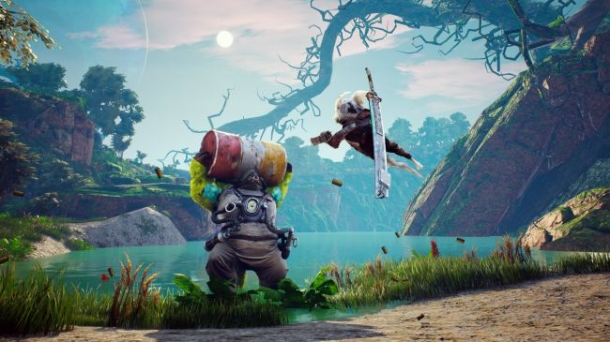
Biomutant is one of the most exciting demos at Gamescom this year
Despite the many post apocalyptic open-world games available today, I'm yet to play one inspired by kung-fu movies. Enter Experiment 101's Biomutant, a...
-
27th March
What is the answer for 122
-
27th March
stuck in episode 11
Trending Articles
-

9th March
There's A Game Breaking Tomb Raider Glitch (and a solution)
Well the reviews are out and the new Tomb Raider seems to be the rare successful reboot. However poor Lara can't seem to catch a break. There is a game...
-
5th November
Fallout: Shadow of Boston Trademarked
Fallout: Shadow of Boston and Fallout: The Ultimate Collection trademarks have been filed at the German patent office. The Office for Harmonization in...
-
17th February
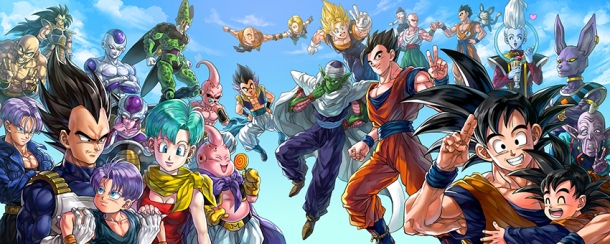
Dragon Ball Z: Extreme Butoden Announced
Dragon Ball Z: Extreme Butoden has apparently been announced in the latest edition of V Jump magazine in Japan. It is a 2D fighter and will be released...
-
21st September
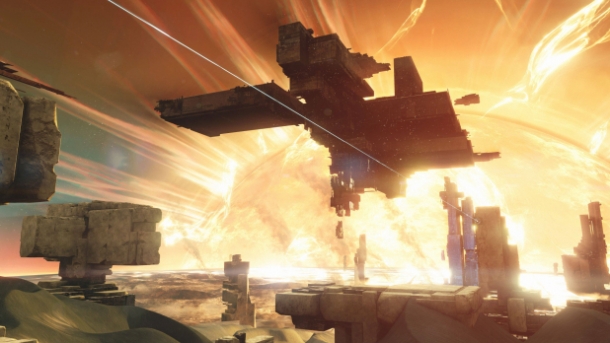
Rumour: New Planet Found in Destiny's Source Code
Gamers have found a new player vs player playlist and a new planet buried in Destiny's source code. The playlist is called Tales of Osiris and will take...
-

30th October
Download Geometry Dash Hack v2.1
Download Link: http://www.fileworld.info/outil-triche/telecharger-geometry-dash-outil-de-piratage-android-ios-comment-pirater-geometry-dash-triche/ Hello...