Marvel Heroes is a MMO Action RPG where you take control of a Superhero and fight its way through the "Marvelous" storyline and defeat the Villains.
Heroes
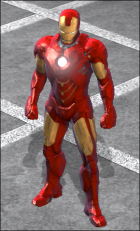 As soon as you create your account and join the game, you get inside a menu that asks you to select a Starting Hero. There are 5 available Starting Heroes:
Once you select one of them, the respective hero becomes your controllable character.
Every hero is unique in terms of style, skills, items and of course, appearance. Even though you can select only one of the 5 Starting Heroes, you can earn any of the available Heroes by playing the game.
- Style: Combat style; close range, ranged, magic, etc.
- Skills: Every hero can evolve and use a large arsenal of abilities.
- Items: To increase a hero's power, you have to build up it's gear. The equipment pieces are hero-specific and can be used by only one hero type.
- Appearance: Every character is different and has a variety of available Costumes that modify its visual appearance.
Leveling Up
Everytime you kill mobs (computer controlled enemy units), defeat a Villain, complete a mission or a task, you are awarded Experience Points. Gathering enough XP points will level your character up, unlocking new Skill Points, Gear, Stats, etc. The maximum level for a Hero is 30.
Interface
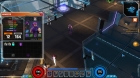
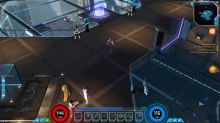 The Marvel Heroes interface is simple and intuitive. The screen is filled only with the useful and essential panels, leaving the details under the buttons.
Hero Status
On the bottom of the screen, there is a panel showing the current HP (out of the maximum), the current Spirit (out of the maximum), and an Experience Bar showing the current progress until the next level.
On the top right corner of the screen you can see a minimap showing your current location. To enlarge the minimap, press the Tab key and it will popup on the whole screen. The same command is used to minimize the map.
On the right of the screen, there is a list of your current active missions. Those are the story objectives you must fulfill to go on with your progress. The closest mission objective is also displayed on the main game UI as a orange circle with a small arrow pointer.
Abilities
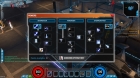 On the same panel on the bottom, there is a bar of 8 hotkey buttons which activate your hero's abilities. The first one is bound to the Left Mouse Button and is activated by pressing that key, the last one is bound to the Right Mouse Button, and the rest can be activated using the keyboard.
To change the active Left / Right Mouse Button abilities, right click on those boxes and select a new ability. For the rest of the shortcuts, you must open the Skill Tree Panel and drag-and-drop the desired ability to the bar.
Panels
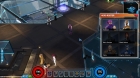
- Character / Inventory (I): Shows your currently equiped items, stats and the inventory items.
- Powers (P): Shows your skill tree, currently learned abilities and their rank and the available unspent Skill Points. Click here to learn more about Skills.
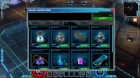
- Shop (X): Contains premium items, heroes, costumes and consumables that can be purchased for real money. You can optionally purchase GP currency with real money and spend it inside the shop.
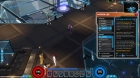
- Missions (L): An advanced view of the current objectives and story progress.
- Rooster (T): Allows you to switch between Heroes.
- Options (ESC): Shows the game menu.
Social Features
Even though you can complete the game story all alone without the exclusive need of other people's help, as an MMO, Marvel Heroes puts you in the same game with thousands of other players. This means you can team up with other people and enjoy the story together, cooperate to complete tasks or even fight against others.
You can talk to other players by opening the chat (Enter) and typing your message. By default, it will be displayed to players close to your location. There are other chat channels like Party which sends your message only to your Party members. You can activate this channel by typing: "/p" followed by your message.
Party
To play a mission with someone you want, open the chat (Enter) and type: "/invite" followed by the player's name. For example: "/invite Skarrian" will invite the character named Skarrian to your party and both of you (or even more people) can play together.
Player vs. Player (PvP)
As soon as you finish the story, you are allowed to fight other players in PvP combats. You must visit the PvP Console (located in the north part of the Avangers Tower), join a battle, win (or lose) and gather points. You can purchase equipment that helps you get even better in PvP from the PvP Gear vendor located near the PvP console.
Missions
As soon as you enter the game, you receive missions. These are the objectives given by NPCs (Non-playable Characters) that you must complete in order to proceed with the progress. Missions include rescuing NPCs, finding a NPC, killing a number of mobs or killing a speciffic Villain. The main objective is defeating the enemy Villains during the Story Chapters. After you complete the story, you can do daily quests, PvP or level a new owned Hero.
